
01 / Shared context
Can the next person understand the session?
Ask an operator and an analyst to find the same exposure, its collection context, and its processing outputs. Check the supported deployment, network access, and project permissions.
Compare your research workflow
Acquisition automation, browser access, and processing are available across several cryo-EM ecosystems. Evaluate the complete handoff in your own environment, using demonstrated capabilities.
01 / Shared context
Ask an operator and an analyst to find the same exposure, its collection context, and its processing outputs. Check the supported deployment, network access, and project permissions.
02 / Evidence
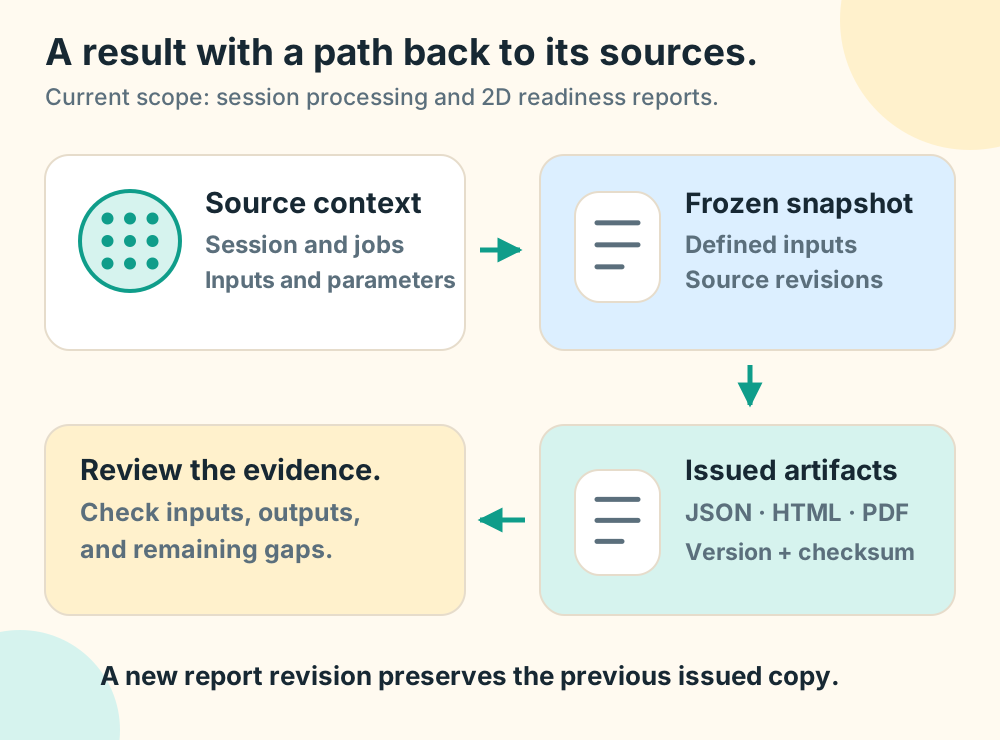
Follow a report to its exact source inputs, parameters, and artifact revision. CryoMaestro’s current reporting scope includes session processing and 2D readiness; qualify other report types separately.
03 / Fit
Verify each microscope, camera, processing method, connector, and export you need. Instrument compatibility and integration availability require specific evidence.
04 / Collaboration
Distinguish browser-based session review from simultaneous document editing. Ask for permission, revision, and conflicting-edit tests before relying on a multi-user workflow.
Thermo Fisher describes Smart EPU with CryoFlow as supporting remote session access, collaborative data exchange, and on-the-fly processing integration. Read the manufacturer’s current description (reviewed October 11, 2026).
CryoMaestro’s focus is web-based research and data governance: connecting experimental data, scientific context, and team review. Use a pilot to establish the scope that works for you.
Get started
Bring your workflow and the questions your team needs answered. Define a pilot around evidence you can review.